

Prerequisites
- At least one task (with a rubric if you want Evals pass/fail verdicts).
- At least one treatment (every project includes Raw Agent).
- Connected model providers, Oqoqo AI feature models, and at least one enabled agent.
- Available runs in your organization’s run balance.
Start a new experiment
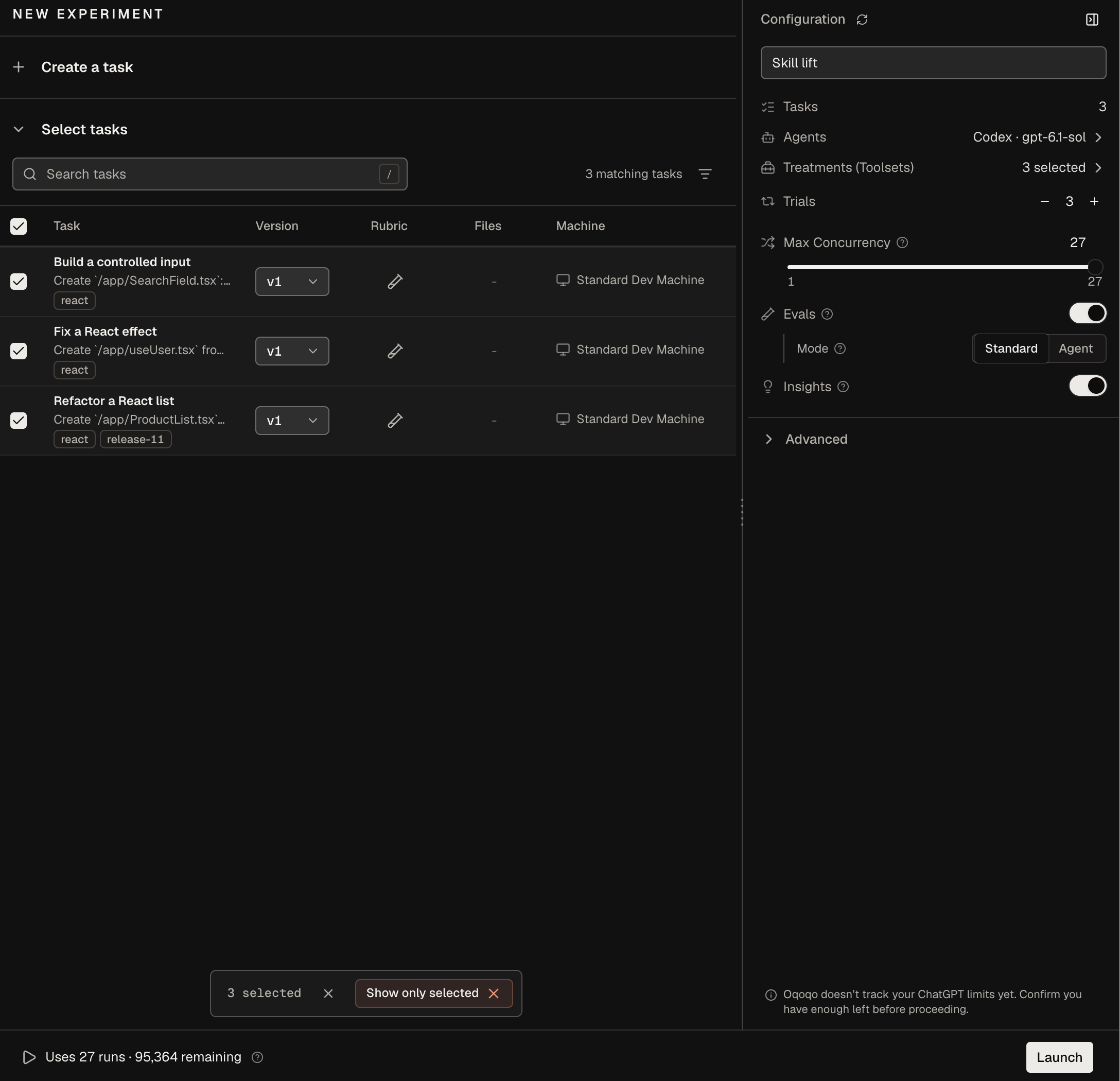
Select New experiment in the sidebar (or start from a Home template) and enter an Experiment name (up to 120 characters). Because tasks carry their own files and machines and treatments carry their own tools, you only choose what to combine in the Configuration panel.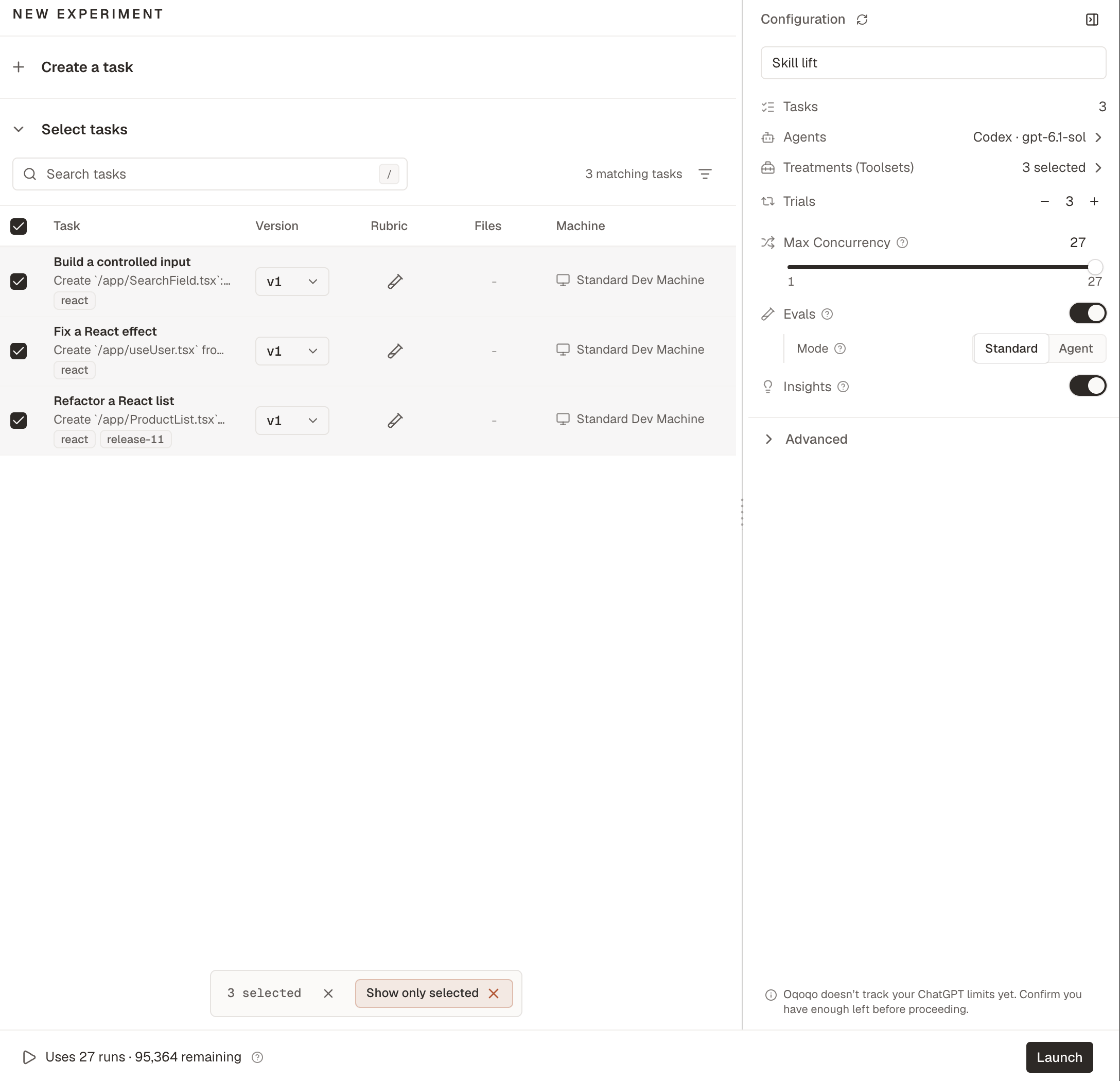
Choose tasks
Select tasks from the list, search by name, or filter with Tags to grab an entire release or feature suite at once. Select New task to create one inline. Each task uses its current version by default, or you can pick an older version on its row. For statistical comparisons, include more than 6 tasks—Comparisons needs at least 6 differing tasks, and tied tasks do not count.Choose agents
By default, New experiment selects every built-in agent with a recommended model. Select Clear to pick specific agents, models, and effort levels. To compare two models or effort levels on the same agent, add the agent again with the second choice. Custom agents (private beta) start unselected unless you open New experiment from a custom agent’s page; launching an untested custom agent displays a reminder notice.Choose treatments and a baseline
Select one or more treatments under Treatments (Toolsets) (Raw Agent starts selected). When you select two or more treatments, a Baseline selector appears—keep Raw Agent or choose any selected treatment as your reference. Oqoqo stores your chosen baseline with the experiment so you can measure each treatment’s lift in Read results.Set trials
Set Trials between1 and 20. Use 2 or more trials whenever you compare treatments or agents so single-run variance does not skew results.
The footer calculates total runs (tasks × treatments × agents × trials, such as Uses 12 runs) and links to Usage & billing if your balance is short.
Set Max Concurrency
Max Concurrency caps how many agent runs execute in parallel (defaulting to the experiment’s run count). Lower it—down to1 for strictly sequential runs—when tasks share mutable remote state through an MCP server, CLI, or shared test account, or to avoid provider rate-limit spikes.
Max Concurrency does not throttle Evals or Insights. Organization and platform capacity limits can still reduce effective concurrency; email support@oqoqo.ai if you need higher capacity.
Turn on Evals and Insights
Both require models set under Oqoqo AI defaults. Leave either off at launch and trigger Run evals or Run insights later on the finished runs.
If your organization uses Agent mode (private beta) for Evals or Insights, choose Standard or Agent under Mode (below Mode, the panel estimates the Agent-mode review count and model). See Agent mode for how the two modes compare.
Override models for this experiment
Expand Advanced to override the Evals model, Insights model, or Experiment insights model for this experiment alone (Default uses your organization settings). Enable Customize under a role to override your organization’s custom instructions. In CLI and plugin launch plans, passprojectAiSelections and projectAiInstructionOverrides using role keys judge (Evals model), sweep (Insights model), and consolidation (Experiment insights model).
Launch
- Dashboard
- CLI
- Plugin (MCP)
Verify the run count in the footer and select Launch. If a tool needs values or a provider is disconnected, the panel highlights each blocker with a direct fix link.
Rename an experiment
You can rename any active or finished experiment (up to 120 characters) without changing itsexp_ ID, runs, or links.
- Dashboard
- CLI
- Plugin (MCP)
Open the experiment, select its title at the top of the page, edit the name, and press Enter (or select outside the field) to save.
Launch again
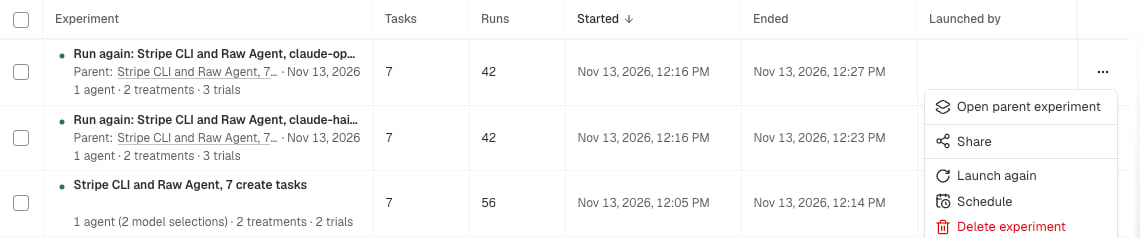
Once an experiment reaches Completed, Needs review, Error, or Cancelled, use Launch again to rerun the same configuration against the latest task versions and current treatment tools (or select Edit first to adjust tasks, agents, or trials before launching). If any task or treatment was deleted, use Edit first instead.- Dashboard
- CLI
- Plugin (MCP)
Open the experiment (or its ⋯ row menu in All experiments) and select Launch again, resolve any listed blockers, and select Launch.
Cancel an experiment
Stop a Running experiment anytime to halt unfinished runs while keeping completed runs intact (cancelled runs do not use your run balance).- Dashboard
- CLI
- Plugin (MCP)
Select Cancel experiment on the experiment page (or Cancel run in a single run’s ⋯ menu) and confirm.
From the CLI and the plugin
Next steps
Read results
Analyze Matrix pass rates, cost, and runs.
Schedules
Automate recurring experiments on a schedule.
Frictions
Inspect where agents got stuck and how to fix it.
oqoqo experiments
Reference for all experiment commands and plan fields.