

oqoqo is the command-line client for Oqoqo. You can sign in, manage projects, launch and watch experiments, and inspect the catalog and recorded run work from your terminal or from automation.
What you can do
Use the CLI when you want:- terminal workflows next to your repo
- scripts and automation around launch, watch, and cancel
- structured JSON output for agents and tools
- the same capabilities as MCP, without an MCP host
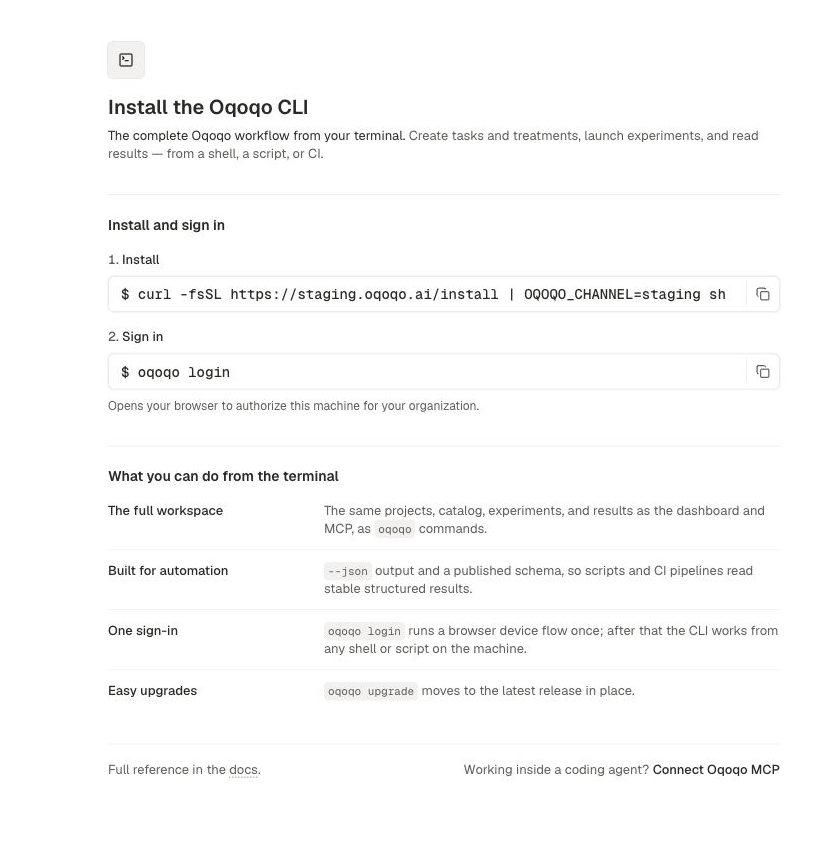
Install
Sign in
Choose a project
Most commands need a project.--project-id on any project-scoped command to override the saved preference for that call. See Projects.
Launch and watch an experiment
Build an experiment plan as JSON, then launch it:oqoqo experiments clone-plan <experiment-id> to get a launchable plan from an existing experiment. Cancel with oqoqo experiments cancel <experiment-id> when you need to stop work in flight.
Secrets stay in the dashboard. If a command needs a secure value, it returns an authenticated Web link instead of accepting the secret on the command line.
Inspect catalog and results
oqoqo schema and oqoqo schema <command> print machine-readable definitions for every command.
Capability map
Destructive deletes use preview plus approval. Billing checkout and secret entry stay on the Web. Quota commands return the billing link when you need to buy more.
Commands for agents and scripts
Every command supports these:--output jsonprints one JSON envelope on stdout- Exit codes are stable:
0success,2usage error,3auth error,4API error,5network error oqoqo schemaprints the current contract without scraping help text
Common commands
Run
oqoqo --help for the full list.
Related pages
MCP
Connect the same capabilities inside an agent host.
Ask Oqo
The in-app assistant for everyday project work.
Billing
How quota and runs work.
Launch options
What goes into an experiment plan.