

Prerequisites
- Connect a model provider under Organization settings → Model providers, or connect OpenAI (ChatGPT Subscription) or Nous Portal under Profile → Integrations.
- Assign an Ask Oqo model under Organization settings → Oqoqo AI defaults.
Ask Oqo cannot use Anthropic (Claude Subscription) from Profile → Integrations. Claude models connected via an Anthropic API key or gateway work as expected.
Open Ask Oqo
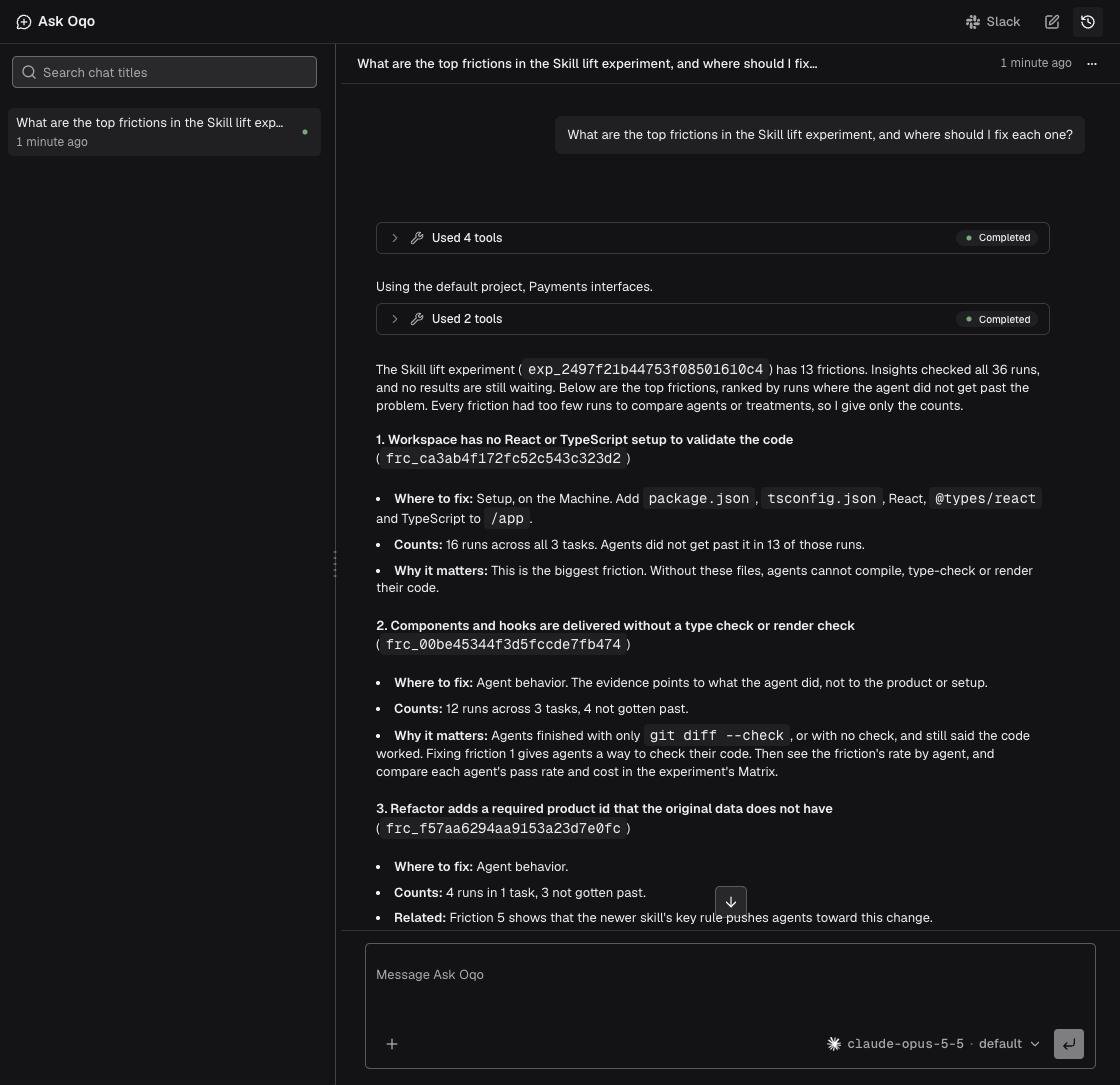
Open Ask Oqo from Ask Oqo in the sidebar (full page), the Ask Oqo button in any header (side panel—select Open full page anytime to move your active chat and draft), the prompt on Home, Slack, or your editor. The first time you open Ask Oqo in the dashboard, it links to your Oqoqo account automatically (if connection fails, select Try again).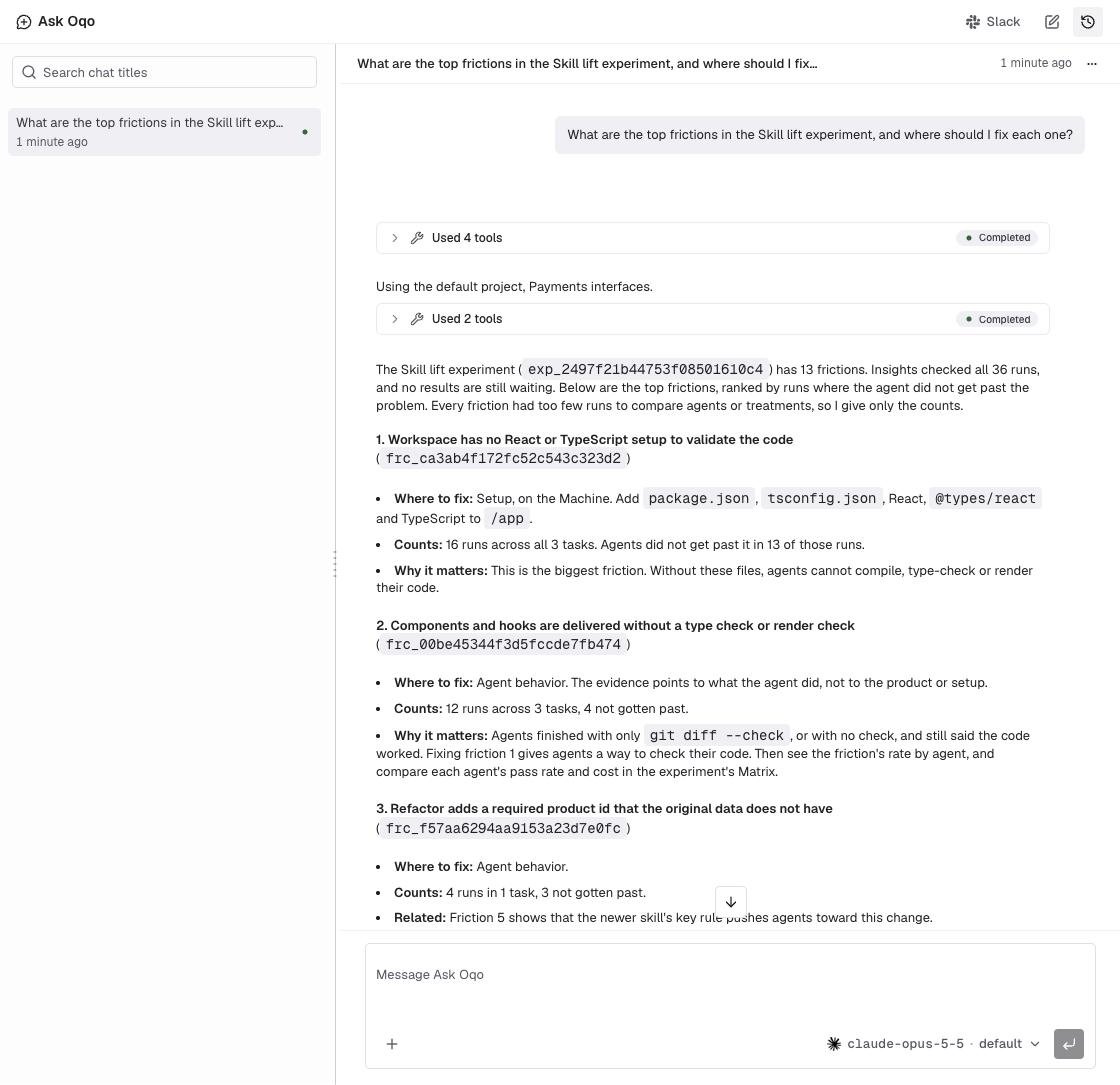
What Ask Oqo can do
- Summarize Matrix results, rank frictions, and inspect individual run trajectories
- Build complete eval sets, write tasks and rubrics, launch experiments, and schedule runs
- Wait for experiments, Evals, Insights, or Briefs to finish and report results
- Read public GitHub repositories, Oqoqo docs, and public product documentation URLs
- Write files and run commands in a private chat workspace to prepare and upload task and skill archives
While Ask Oqo works
- Live status & tool cards: Ask Oqo displays live progress and groups sequential tool calls into collapsible cards.
- Background waiting: when asked to wait on an experiment, Evals, Insights, or a Brief, Ask Oqo polls in the background (up to 2 hours by default, or up to 12 hours when requested; replies arrive within about 5 minutes of completion). You can send follow-up messages or leave the page and check back later.
- Steer mid-reply: type into the input box while Ask Oqo is working and send to incorporate your follow-up, or clear the box and select Stop.
Read GitHub
Ask Oqo reads files, commits, releases, issues, pull requests, and GitHub Actions runs in public GitHub repositories (read-only) using the GitHub integration on Profile → Integrations. If GitHub isn’t connected yet, Ask Oqo shows Sign in with GitHub right in chat. (Disconnecting GitHub on Profile → Integrations also disables GitHub Copilot for your account.)Chat history
Ask Oqo stores chat history per project for 30 days (ended chats remain readable; select Start a new chat to continue).- Sidebar & recent chats: collapse or resize the sidebar, rename chats from your history, and jump to your three latest chats from the main sidebar or Home → Recent chats.
- Statuses & filtering: filter history by Working, Waiting for you, Completed, Error, or Stopped.
- Bulk delete: open the actions menu beside search to delete all or filtered chats. Deletion removes only your own chats permanently.
Use Ask Oqo outside the dashboard
- In GitHub (private beta): mention @oqoqo-ai in an issue or pull request, and it answers in the thread with the repository’s code.
- In Slack: message @Oqoqo in DMs or channels using your own permissions.
- In your editor: run
oqoqo acp ask-oqoinside Zed, JetBrains IDEs, or other ACP editors. - In experiments (private beta): benchmark Ask Oqo itself as an ACP custom agent.
Example prompts
Next steps
Install the Oqoqo Plugin
Give Codex, Claude Code, Cursor, or Copilot full Oqoqo access.
Find and fix frictions
Turn top frictions into verified product fixes.
Oqoqo AI defaults
Choose and override the Ask Oqo model.
Read results
Explore Matrix, Comparisons, and Run details.