



Tool types
Every tool is versioned, and each experiment locks the versions it launched with. A tool’s Experiments, Runs, and Frictions tabs track every run across versions where a treatment included that tool.
Skills
Open Manage → Tools → Skills, select Add skills, and drop a folder,.zip, or .skill file—or import From GitHub. One upload can import multiple skills at once.
Each skill takes the name field inside its SKILL.md regardless of folder depth (for example, skills/cloud/onboarding/SKILL.md with name: cloud-onboarding imports as cloud-onboarding). Oqoqo skips identical duplicates; if two skills share a name with different contents, rename one or import them separately. To save updates, open the skill and select Import new version.
MCP servers
Open Manage → Tools → MCP servers, select New MCP server, and choose a Transport:- Network reachability: HTTP and SSE servers must be reachable over public HTTPS from Oqoqo’s cloud machines. Local servers run inside the task machine during runs, so Oqoqo cannot inspect their tools outside a run.
- Test data and auto-approval: Cloud runs auto-approve every MCP tool call—including tools marked
destructiveHintor_meta["anthropic/requiresUserInteraction"]—so always point tasks at test accounts and data agents can safely modify. - Credentials & secrets: Enter header values and personal OAuth logins only in the dashboard (Add the values a tool needs). If you save a new server URL via the CLI or plugin, saved values stay unbound until you select Refresh on the version’s Tools tab (Saved header values and the server address).
- Sign in with provider: OAuth per team member (only you can run with your connection). Identity providers such as Okta, Google, or GitHub may require your own OAuth app.
- API key or token: shared secret headers entered in Headers for everyone in the project.
Keys in a URL or an argument
To pass a secret in a remote URL path or query (https://mcp.example.com/mcp?apiKey=${EXA_API_KEY}), or in a local server’s arguments, use ${NAME} instead of the raw key. Then declare NAME under Headers (for remote servers) or Environment variables (for local servers).
${NAME}works in URL paths and query parameters (not hosts, ports, or fragments) and is injected at runtime so agents never see remote secrets.- In local shell scripts (such as
sh -c '…'), double-quote"$NAME"or"${NAME}".
- Dashboard
- CLI
- Plugin (MCP)
Enter
https://mcp.example.com/mcp?apiKey=${EXA_API_KEY} as the URL, add EXA_API_KEY under Headers with your secret, and select Save.See an MCP server’s tools
An MCP server’s Tools tab displays every tool discovered at Oqoqo’s last check—names, descriptions, parameters, and server hints (Read-only, Destructive), along with New or Updated diffs. Oqoqo checks remote servers automatically when you save a new version, connect your account, or view Tools after 24 hours; local servers cannot be inspected outside a run.
- Dashboard
- CLI
- Plugin (MCP)
Open the MCP server’s Tools tab and select Refresh (or open ⋯ → Refresh tools in the MCP servers list).
See how runs use each tool
The Tools tab also aggregates tool call counts across all processed runs that included the selected version.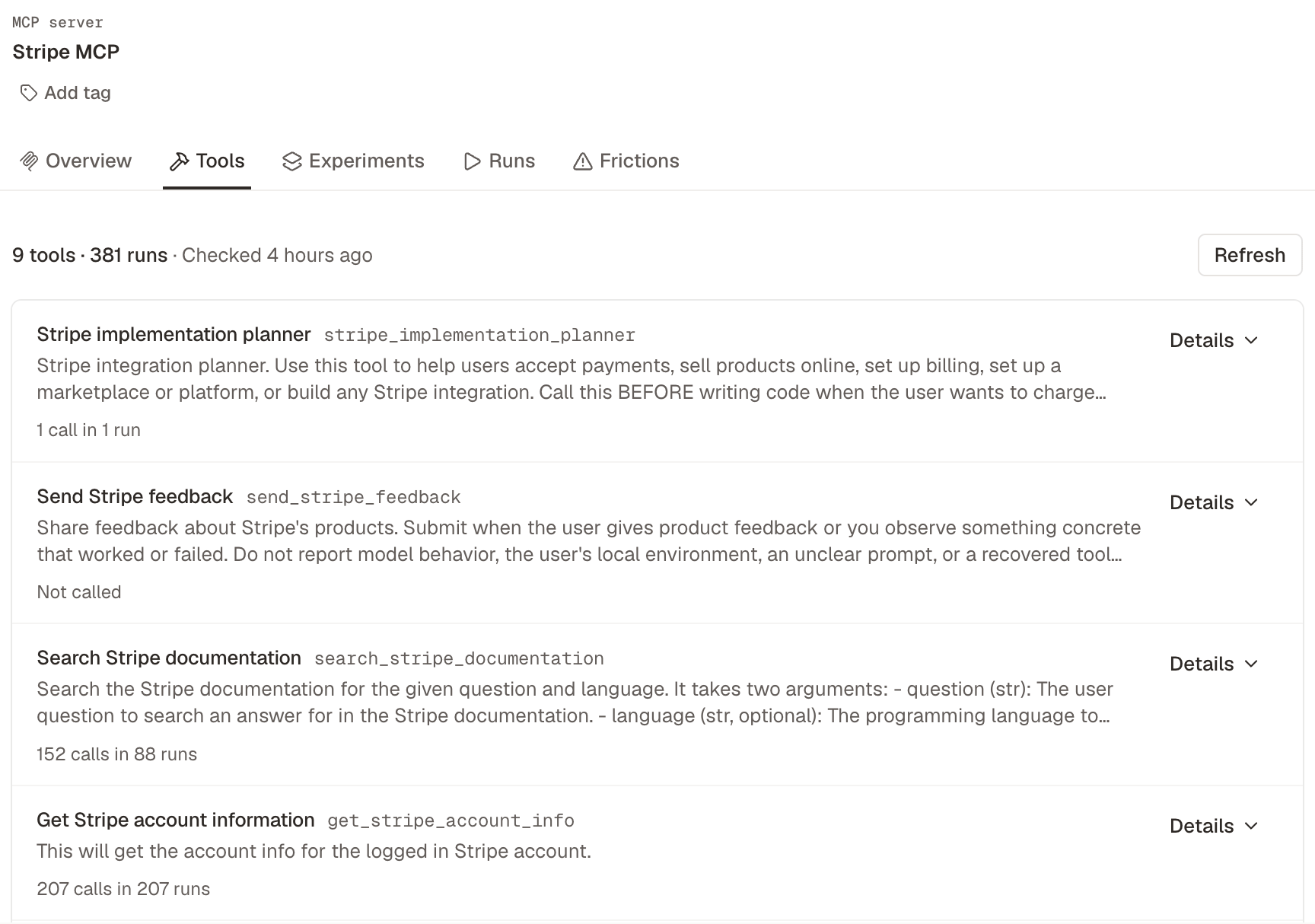
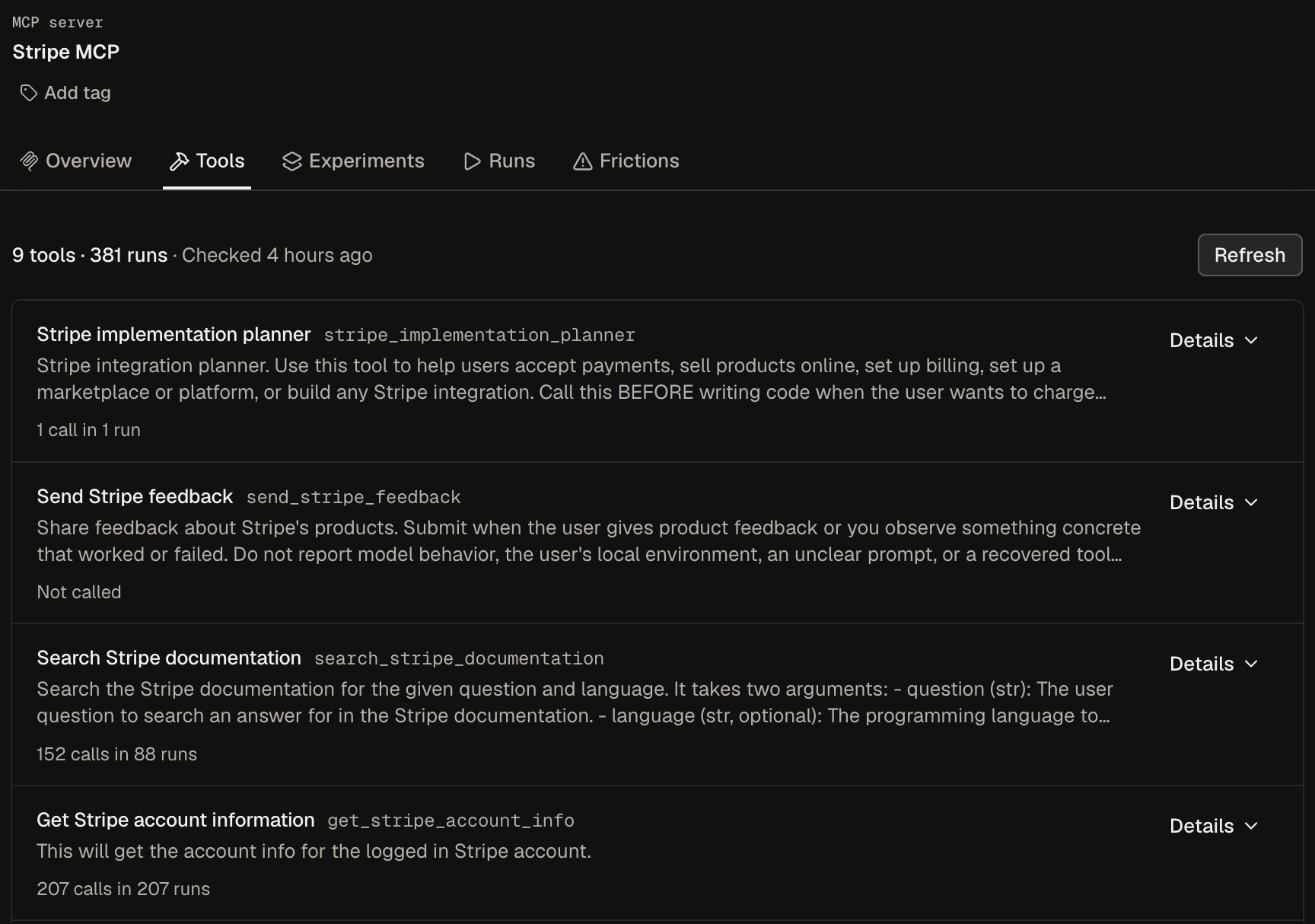
- N calls in R runs (or Not called): total calls across runs, including failed calls and calls where an agent swapped
.for_or-. - Off in N treatments: opens Treatments (Toolsets) filtered to treatments that disable that tool. Runs where a tool was disabled are excluded from its active run denominator (3 calls in 2 runs of the 4 it was on).
- Dashboard
- CLI
- Plugin (MCP)
Open the MCP server’s Tools tab and pick any version from the version selector.
Test without a tool
To measure a single MCP tool’s value, compare a treatment with the tool against an identical copy with that tool disabled (change one thing at a time).- Dashboard
- CLI
- Plugin (MCP)
On the server’s Tools tab, select Details on the tool, select Test without this tool, and choose a treatment that includes this server version. Oqoqo clones (or opens) the matching treatment with that tool off.
Saved header values and the server address
To keep secrets from being redirected to untrusted URLs, saved MCP header values and OAuth client secrets are bound only to server addresses confirmed by a person in the dashboard.- Saving or changing a URL in the dashboard binds saved secrets to that address automatically (previous addresses stay bound so you can compare versions at different URLs).
- Saving a new URL via the CLI or plugin leaves secrets unbound until a human opens the version’s Tools tab and selects Refresh (check the Binds the saved values to … URL first). Until then, launches stop with
mcp_header_values_unboundand CLI/MCP refreshes fail withmcp_tool_check_needs_web. - Rotating a leaked key binds the new key only to the current address; select Refresh on any older versions that should receive the new key.
CLIs and SDKs
Open Manage → Tools → CLIs or SDKs and configure:- Install: package manager + exact package or a single-line Custom install command (runs during image Build before variables exist).
- Post-install commands (CLIs only): shell commands that run after machine setup with
${NAME}variables populated (for example, signing in). - Variables: keys or tokens injected into post-install commands and the run environment. CLI/SDK variables override machine variables of the same name (When two places set the same variable).
- Commands (CLIs only): executable names on
PATHthat count toward Treatment use in Run details. Oqoqo detects commands automatically for exact npm, crates.io, orgo installpackages. For pip, gem, apt, custom installs, and version ranges, list the executable names separated by spaces or commas.
Import from GitHub
Import Skills and Files directly from publicgithub.com repositories.
1
Open the GitHub import
In the add dialog, select From GitHub.
2
Choose the repository
Enter a repository name,
owner/name, owner/, or paste a GitHub URL into GitHub source and select the match.3
Choose a branch, tag, or commit
Pick a ref in Branch, tag, or commit (defaults to the repository’s default branch), or type a commit SHA.
4
Choose a path
Pick a specific folder or file in File or folder path, or leave blank to import the entire repository.
5
Import
Optionally enable Mark as official for skills, then select Import to save an immutable snapshot at that commit.
oqoqo github browse or browse_github_source and pass source to resources apply / author_resource.
See where an import came from
GitHub-imported records display a GitHub link beside their title and record the Repository, Branch or tag, Path, and Commit under the info icon (sourceAction in oqoqo resources inspect and inspect_resource with definition view).
Add the values a tool needs
Tools missing required secrets show Needs values (or Connect account for OAuth MCP servers), and Home flags them with direct setup buttons. Secrets are entered only in the dashboard; optional empty values never block a launch.Official versions
Turn on Mark as official on a tool’s page (or during skill import) to designate the canonical version of your product interface. Oqoqo maintains four read-only treatments—All official skills, All official MCPs, All official CLIs, and All official SDKs—which automatically track your official versions.Attach tools to a treatment
After saving a tool, select Create treatment or add the tool version under Manage → Treatments (Toolsets). When saving a new tool version, use Update linked treatments? to move existing treatments to the latest version (Keep treatments up to date).Approvals during runs
Inside cloud runs, all tool calls—including MCP tools markeddestructiveHint or _meta["anthropic/requiresUserInteraction"]—are auto-approved so agents never stall. Always run tasks against test data that agents can safely modify or delete.
Delete a tool
You cannot delete a tool version still attached to a treatment, and MCP server, CLI, or SDK versions used by past experiments cannot be deleted even after removing them from treatments.Next steps
MCP server sign-in
Set up OAuth and custom OAuth apps for remote MCP servers.
Treatments (Toolsets)
Group tools into treatments and isolate single changes.
Launch an experiment
Compare your treatments across tasks and agents.