

needs-review or release-11) that help you group and filter records—for example, selecting all tasks for a release in one click. Tags never affect how an experiment executes and stay hidden from public experiment links.
Each tag keeps a stable tag_ ID even if you rename it. Tag matching is case-insensitive (Flaky and flaky refer to the same tag).
What can have tags
Agents, runs, frictions, and projects do not use tags. Tags belong to the record itself rather than a specific version, so saving a new task or tool version keeps its tags.
Add and remove tags
- Dashboard
- CLI
- Plugin (MCP)
Open any record, select Add tag (or select existing tags) under its name, and pick or create a tag. Changes save immediately.
Find records by tag
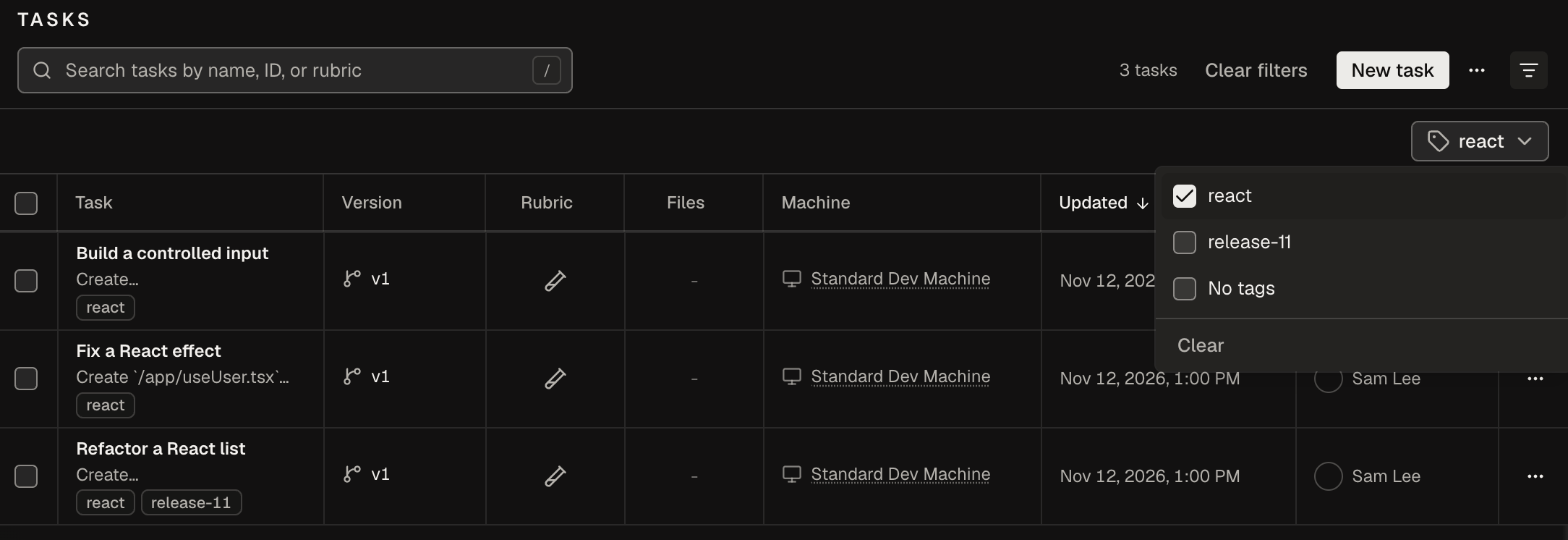
Every tagged list and the New experiment task picker include a Tags filter once your project has at least one tag. Filter by one or more tags, No tags, or both together—the active filter stays in the URL so you can bookmark or share it with teammates.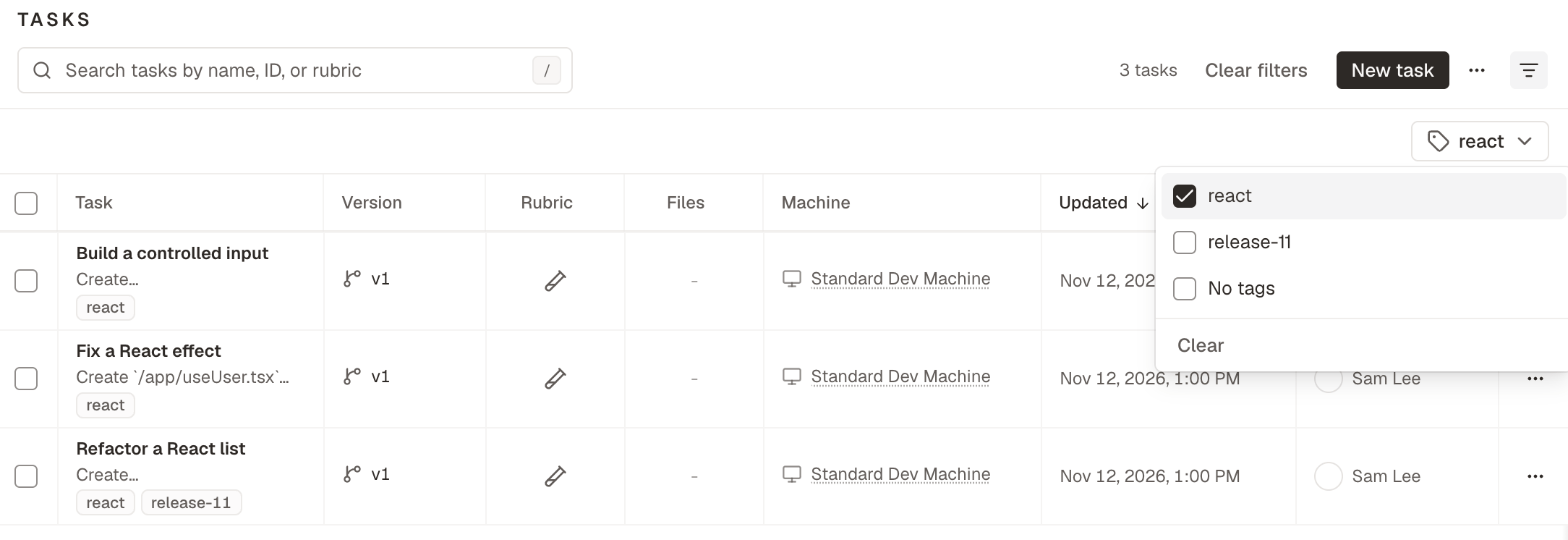
Rename or delete a tag
Open the tag picker on any record (or Tag in a bulk selection), hover over a tag and select the edit icon, then enter a new Name and Save changes—or select Delete tag. Renaming updates every tagged record across the project.Names and limits
From the CLI and the plugin
The CLI and plugin accept either a tag’s name (case-insensitive) or itstag_ ID.
Next steps
Launch an experiment
Filter tasks by tag when launching an experiment.
oqoqo tags
Full reference for all
oqoqo tags commands.