

- the agents that run your tasks
- Oqoqo AI features such as Ask Oqo, Rubric generation, Run evals, Run insights, and Experiment insights
Provider catalog
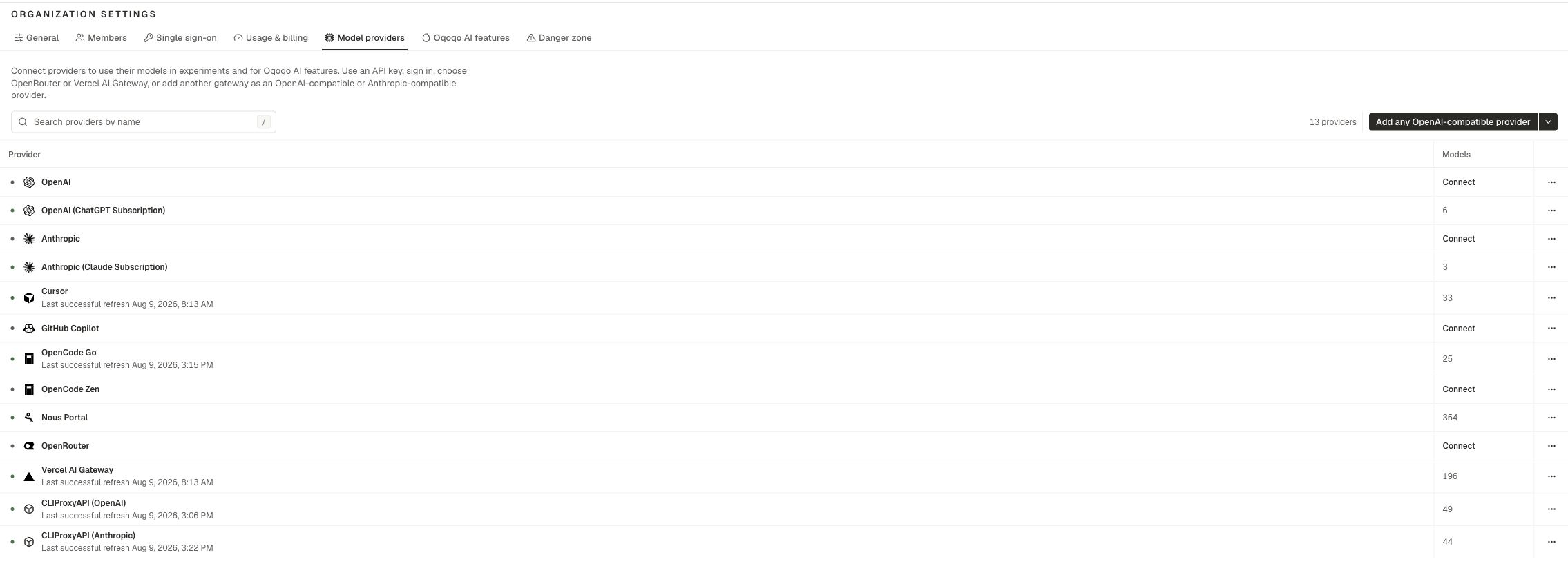
The provider catalog is shared by every project in the organization.
You can add more than one OpenAI-compatible or Anthropic-compatible gateway.
What to choose
The models under Manage → Agents and Oqoqo AI features come from this catalog.
Personal Integrations
Connect these under Profile → Integrations:
Anthropic (Claude Subscription) is an alternative to a shared Anthropic API key for Claude Code. It can also power Rubric generation, Run evals, and Insights. Each teammate connects their own account. The person who starts the work must connect the selected personal account.
Personal Integrations also cover personal MCP sign-ins when a treatment MCP server needs your OAuth.
How providers flow into the product
Setup steps
- Open Organization settings → Model providers and add the providers that your team needs.
- Assign models under Organization settings → Oqoqo AI features. See Oqoqo AI features.
- Connect a personal Integration when an agent or selected AI feature model needs your account. See Profile.
- Enable agents under Manage → Agents. See Supported agents.
Cost boundary
Oqoqo runs cover platform fees and cloud infrastructure. Model inference is separate. Your providers bill model usage on your own keys or subscriptions. See Billing.Related pages
Supported agents
Which agents use which providers.
Oqoqo AI features
Assign models to Ask Oqo, Evals, and Insights.
Profile
Personal Integrations.
Troubleshooting
Fix missing models and broken connections.