

Your OAuth app only identifies Oqoqo to the provider; you still authorize with your own user account.
Redirect URI
Add this exact callback URL to any OAuth app you register for Oqoqo:redirectUri in the CLI and plugin).
Connect with your own OAuth app
- Dashboard
- CLI
- Plugin (MCP)
- Create an OAuth app with your provider using Oqoqo’s redirect URI.
- Open Manage → Tools → MCP servers and select New MCP server.
- Enter the server URL (authentication switches to Sign in with provider).
- Expand OAuth app (or Use your own OAuth app), paste your Client ID and Client secret, and select Create & connect.
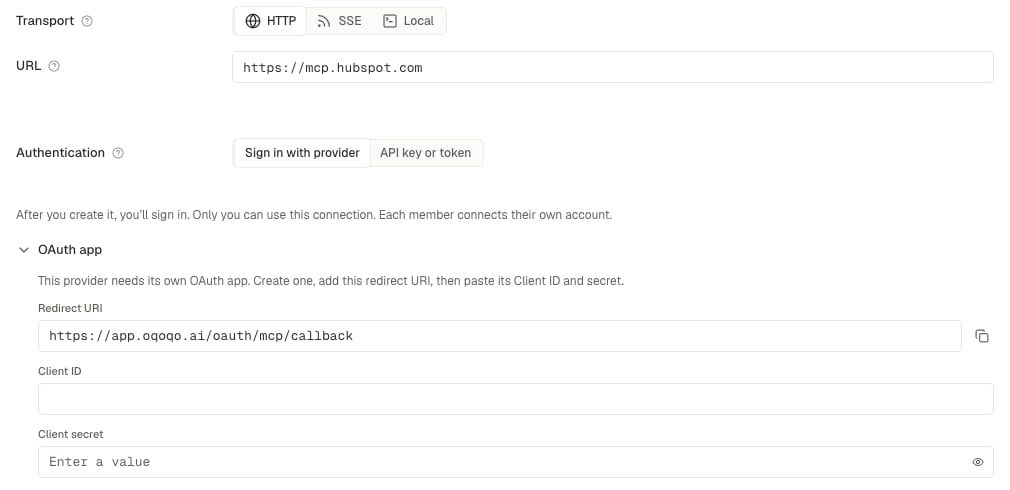
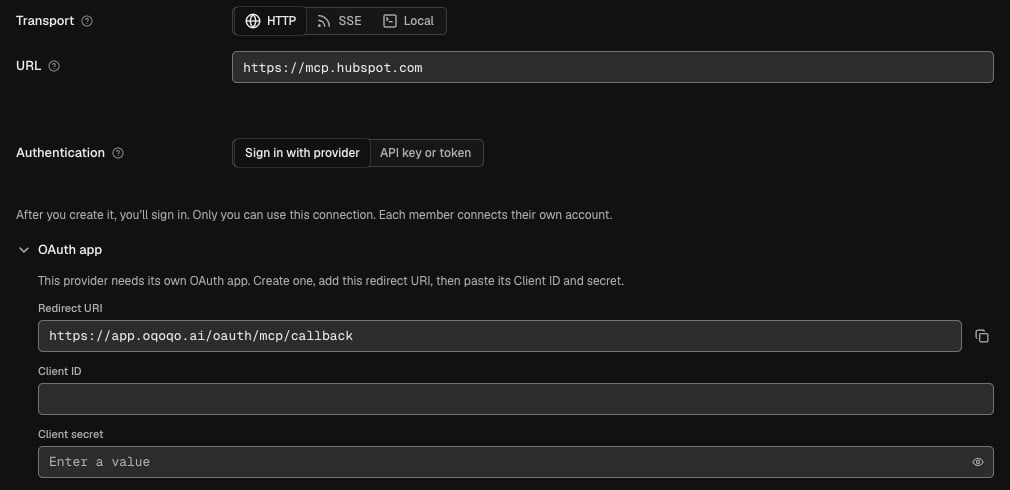
unknown, try Create & connect first; if the provider requires a pre-registered app, Oqoqo prompts you and opens the OAuth app fields automatically.
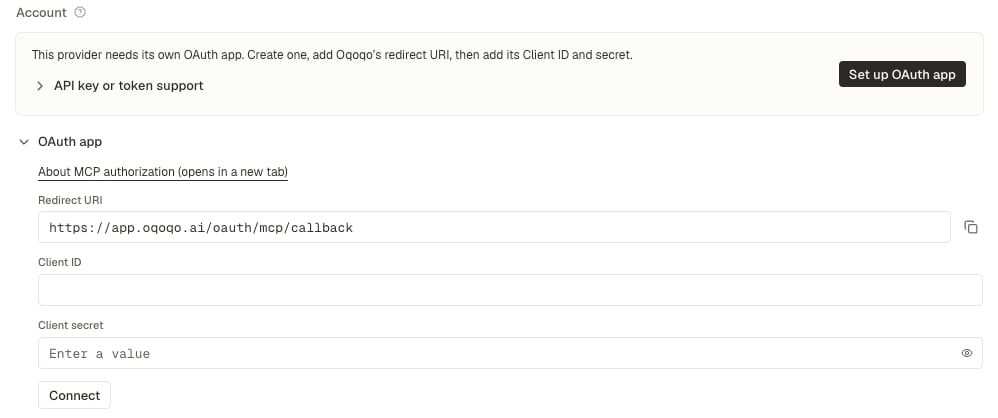
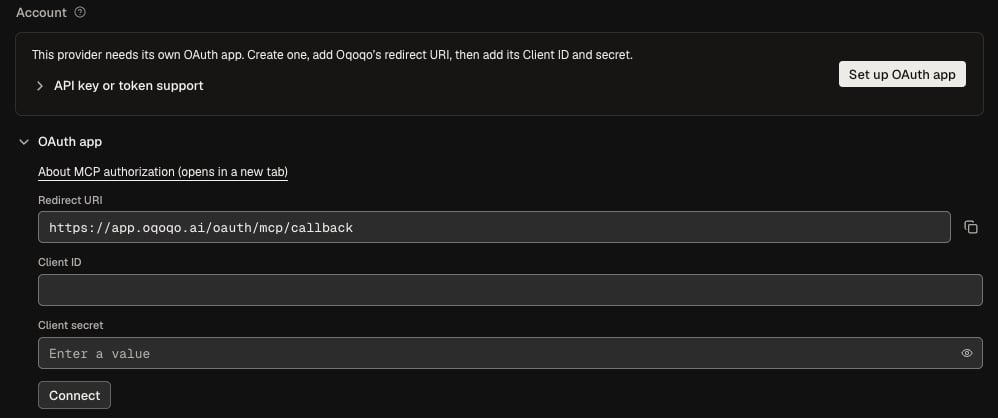
Client authentication
All OAuth sign-ins use PKCE. When you provide a Client secret, Oqoqo sends it using the method the provider’s metadata declares (client_secret_basic by default, or client_secret_post). Leave Client secret blank only for public PKCE clients allowed by the provider.
Common problems
See MCP server sign-in fails for additional errors.
Next steps
Tools
Manage MCP servers, skills, CLIs, and SDKs.
Treatments (Toolsets)
Add your connected MCP server to a treatment.