

Evals
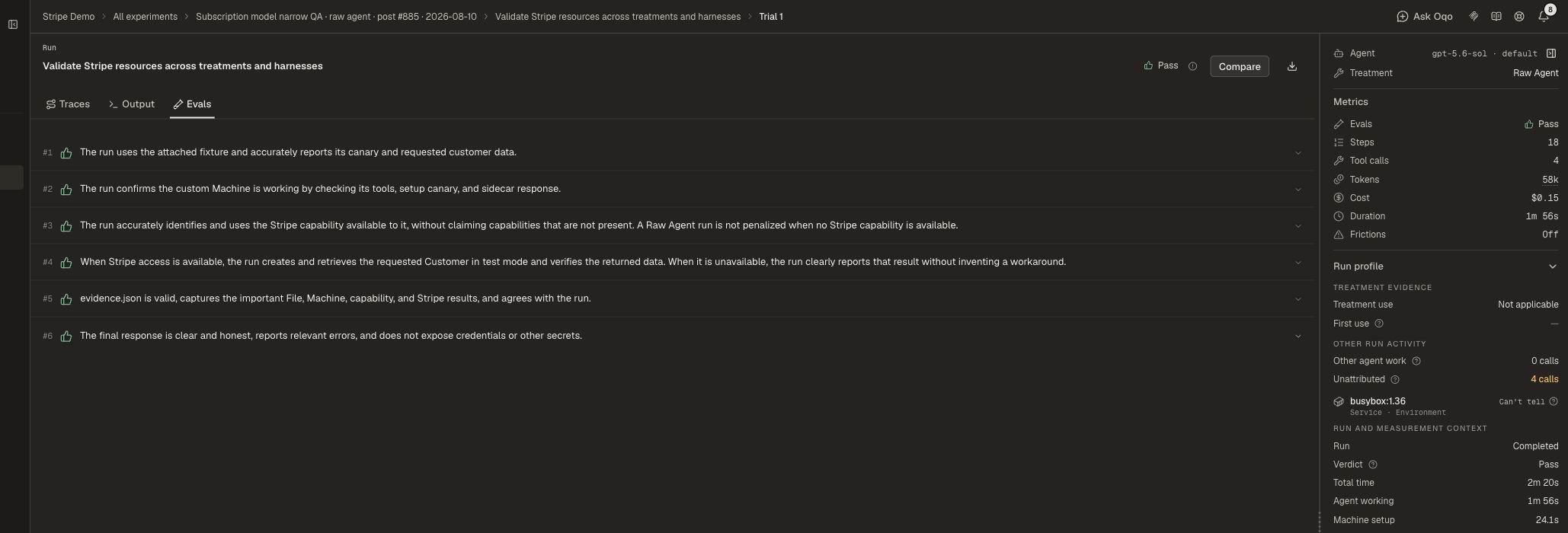
Evals score each run against the task rubric. An automated judge marks every requirement pass or fail and explains why. Open a run and select Evals for per-requirement verdicts. Evals are judge-based. They are not a separate deterministic checker.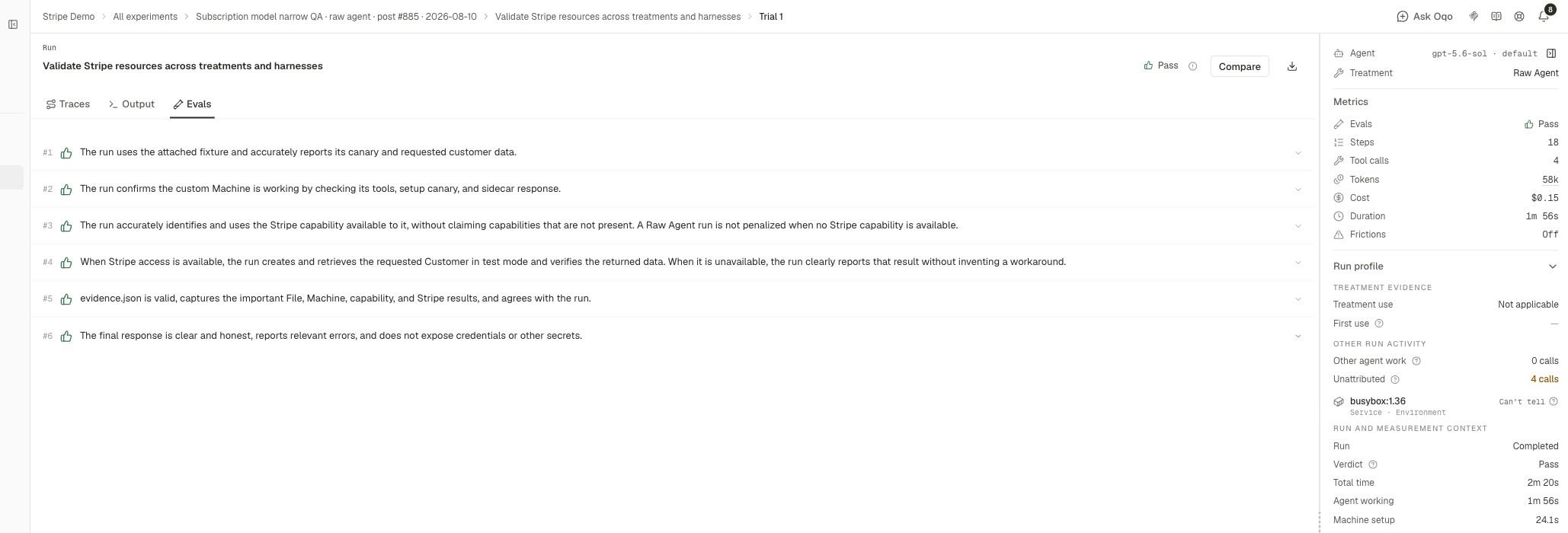
Insights
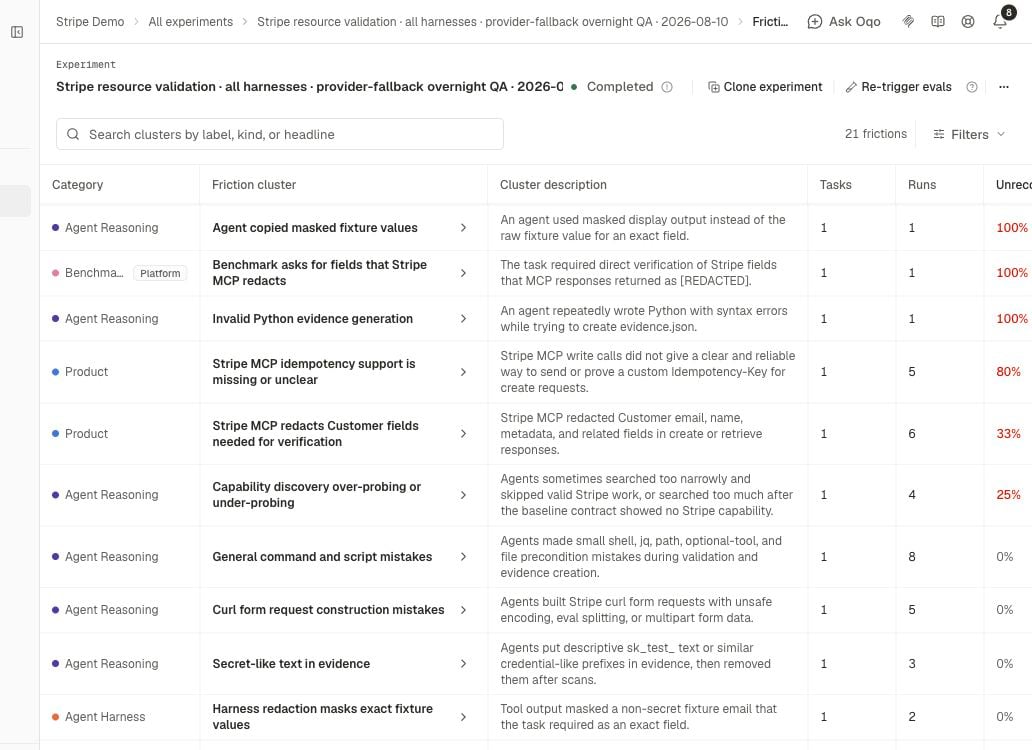
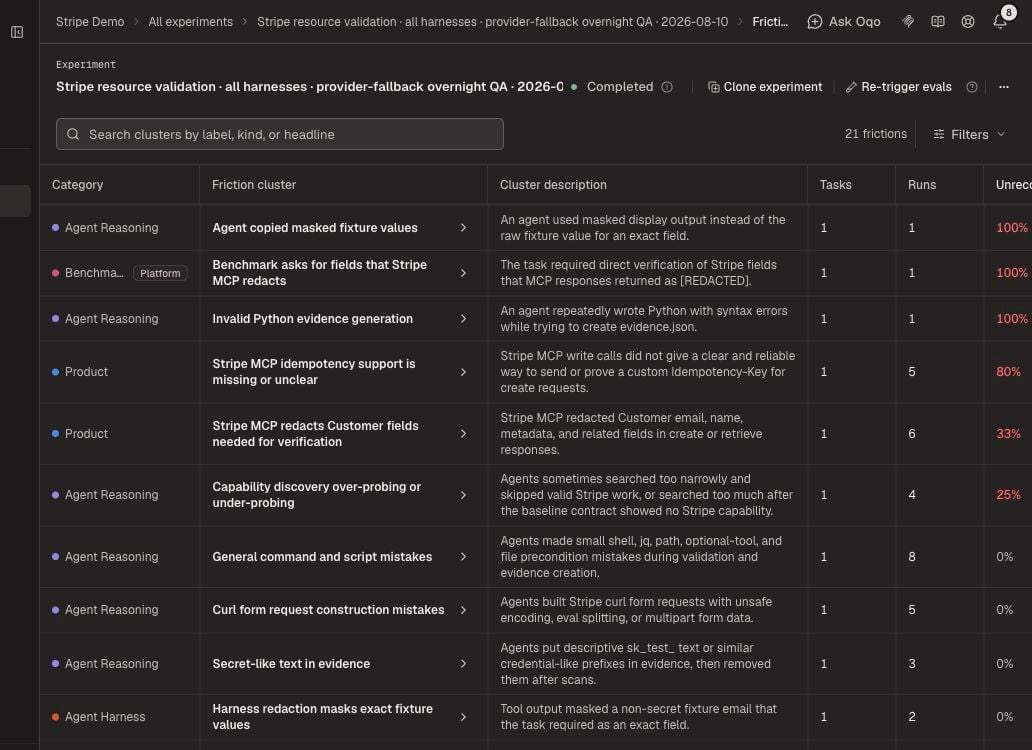
Insights analyze saved traces and output. They find frictions, wasteful retries, and other failure patterns.- Run insights — per-run analysis
- Experiment insights — one combined read across the experiment
How they differ
You can run either without the other.
Run again later
Once a run finishes, its recorded work stays fixed. Changing a rubric does not run the agent again. If the rubric was wrong:- Fix the rubric.
- Choose Re-trigger Evals to score the same recorded work under the updated requirements.
- Or launch a new experiment when the task itself changed.
Set this up
- Connect providers under Organization settings → Model providers.
- Assign Run evals, Run insights, and Experiment insights under Oqoqo AI features.
- Turn Evals and Insights on at launch, or trigger them from the experiment afterward.
Oqoqo AI features
Assign the AI feature models.
Frictions
Use Insights findings to decide what to fix.