> ## Documentation Index
> Fetch the complete documentation index at: https://docs.oqoqo.ai/llms.txt
> Use this file to discover all available pages before exploring further.
# CLI
> Install the oqoqo CLI to manage projects, launch experiments, and inspect results from the terminal.
`oqoqo` is the command-line client for Oqoqo. You can sign in, manage projects, launch and watch experiments, and inspect the catalog and recorded run work from your terminal or from automation.
## What you can do
Use the CLI when you want:
* terminal workflows next to your repo
* scripts and automation around launch, watch, and cancel
* structured JSON output for agents and tools
* the same capabilities as [MCP](/operate/mcp), without an MCP host
The dashboard remains the place for visualization and for entering secrets. [Ask Oqo](/setup/ask-oqo) covers everyday work inside the app.
 ## Install
```sh theme={null}
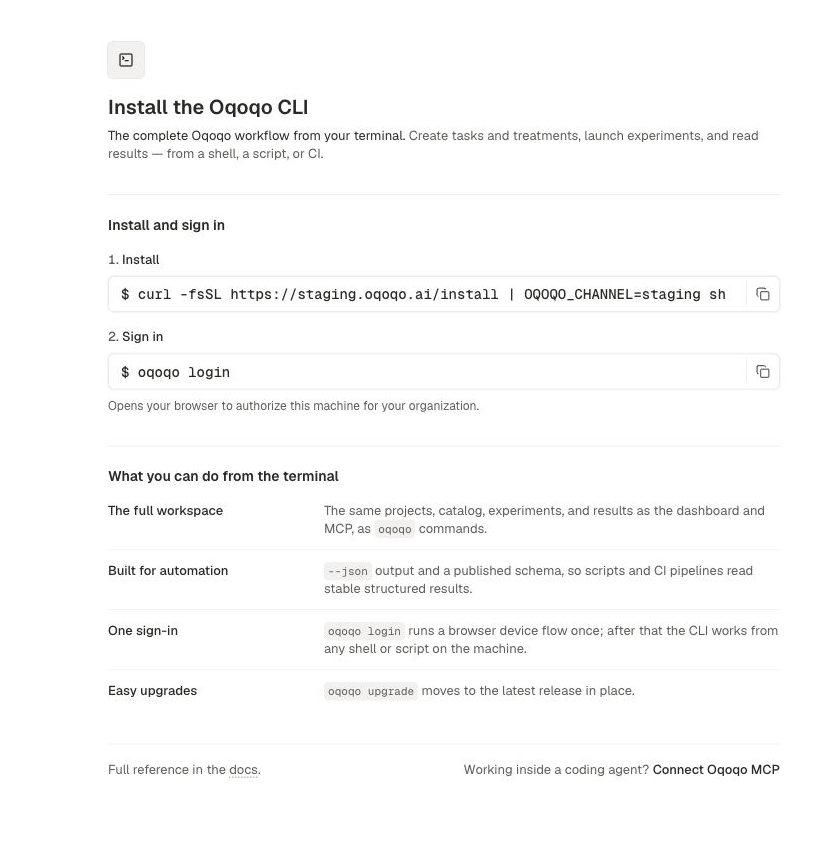
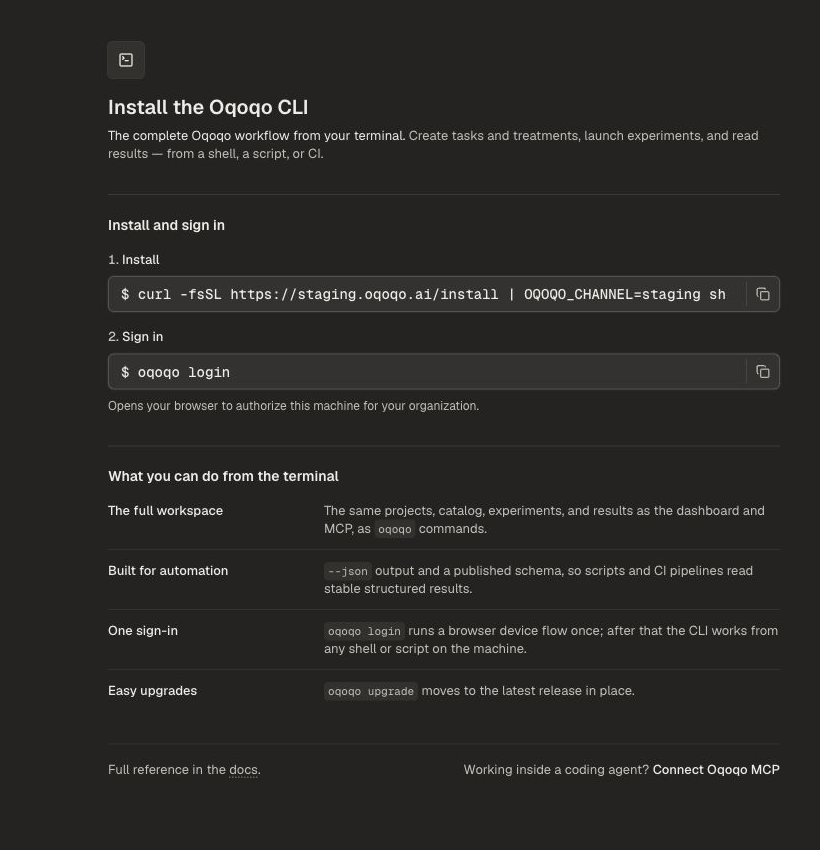
curl -fsSL https://oqoqo.ai/install | sh
```
You can also open **Automate → Oqoqo CLI** in the dashboard.
Update at any time:
```sh theme={null}
oqoqo upgrade # install the latest release
oqoqo upgrade --check # check for a newer release without installing
```
## Sign in
```sh theme={null}
oqoqo login # opens your browser to sign in
oqoqo whoami # show the signed-in identity
oqoqo logout # clear saved credentials
```
## Choose a project
Most commands need a project.
```sh theme={null}
oqoqo projects list
oqoqo projects use
oqoqo projects current
oqoqo projects create --name "My project"
```
Pass `--project-id` on any project-scoped command to override the saved preference for that call. See [Projects](/setup/projects).
## Launch and watch an experiment
Build an experiment plan as JSON, then launch it:
```sh theme={null}
oqoqo experiments preflight --plan-file ./experiment.json --output json
oqoqo experiments launch --plan-file ./experiment.json --output json
oqoqo experiments watch
oqoqo experiments status
```
Use `oqoqo experiments clone-plan ` to get a launchable plan from an existing experiment. Cancel with `oqoqo experiments cancel ` when you need to stop work in flight.
Secrets stay in the dashboard. If a command needs a secure value, it returns an authenticated Web link instead of accepting the secret on the command line.
## Inspect catalog and results
```sh theme={null}
oqoqo catalog list
oqoqo runs list
oqoqo runs trajectory
oqoqo runs transcript
oqoqo results analyze
oqoqo evals list
oqoqo insights list
oqoqo quota inspect
```
`oqoqo schema` and `oqoqo schema ` print machine-readable definitions for every command.
## Capability map
| Area | Commands |
| ----------------------- | -------------------------------------------------------------------------------------------------------- |
| **Identity** | `login`, `logout`, `whoami`, `version`, `upgrade`, `schema` |
| **Projects** | `projects list\|current\|use\|inspect\|create\|update\|delete` |
| **Catalog / resources** | `catalog list`, `resources apply\|inspect\|impact\|lifecycle\|archive\|bulk\|delete`, `deletions status` |
| **Data** | `data describe\|query` |
| **Experiments** | `experiments launch\|list\|get\|clone-plan\|preflight\|status\|watch\|cancel` |
| **Runs / results** | `runs list\|transcript\|trajectory`, `results analyze` |
| **Evals / Insights** | `evals preview\|trigger\|list\|get`, `insights preview\|trigger\|list\|get` |
| **Quota** | `quota inspect\|ledger` |
| **Notifications** | `notifications list\|acknowledge\|preferences\|preferences update` |
| **Project AI** | `project ai inspect\|apply\|delete` |
| **Setup** | `setup links`, `mcp accounts inspect\|detect-auth` |
Destructive deletes use preview plus approval. Billing checkout and secret entry stay on the Web. Quota commands return the billing link when you need to buy more.
## Commands for agents and scripts
Every command supports these:
* `--output json` prints one JSON envelope on stdout
* Exit codes are stable: `0` success, `2` usage error, `3` auth error, `4` API error, `5` network error
* `oqoqo schema` prints the current contract without scraping help text
## Common commands
| Command | What it does |
| ------------------------------ | -------------------------------------------- |
| `oqoqo login` | Sign in through your browser |
| `oqoqo logout` | Clear saved credentials |
| `oqoqo whoami` | Show the signed-in identity |
| `oqoqo projects list` | List projects in your organization |
| `oqoqo projects use` | Remember the active project |
| `oqoqo catalog list` | Search the project catalog |
| `oqoqo experiments launch` | Launch an experiment plan |
| `oqoqo experiments watch` | Poll until a launch finishes |
| `oqoqo experiments cancel` | Cancel work in flight |
| `oqoqo experiments clone-plan` | Rebuild a launchable plan from an experiment |
| `oqoqo runs list` | List runs |
| `oqoqo runs trajectory` | Page a run's trajectory |
| `oqoqo runs transcript` | Fetch a run transcript |
| `oqoqo results analyze` | Summarize or compare results |
| `oqoqo evals list` | List eval results |
| `oqoqo insights list` | List insight results |
| `oqoqo quota inspect` | Show run balance |
| `oqoqo version` | Show the installed version |
| `oqoqo upgrade` | Update to the latest release |
| `oqoqo schema` | Print machine-readable command definitions |
Run `oqoqo --help` for the full list.
## Related pages
Connect the same capabilities inside an agent host.
The in-app assistant for everyday project work.
How quota and runs work.
What goes into an experiment plan.
## Install
```sh theme={null}
curl -fsSL https://oqoqo.ai/install | sh
```
You can also open **Automate → Oqoqo CLI** in the dashboard.
Update at any time:
```sh theme={null}
oqoqo upgrade # install the latest release
oqoqo upgrade --check # check for a newer release without installing
```
## Sign in
```sh theme={null}
oqoqo login # opens your browser to sign in
oqoqo whoami # show the signed-in identity
oqoqo logout # clear saved credentials
```
## Choose a project
Most commands need a project.
```sh theme={null}
oqoqo projects list
oqoqo projects use
oqoqo projects current
oqoqo projects create --name "My project"
```
Pass `--project-id` on any project-scoped command to override the saved preference for that call. See [Projects](/setup/projects).
## Launch and watch an experiment
Build an experiment plan as JSON, then launch it:
```sh theme={null}
oqoqo experiments preflight --plan-file ./experiment.json --output json
oqoqo experiments launch --plan-file ./experiment.json --output json
oqoqo experiments watch
oqoqo experiments status
```
Use `oqoqo experiments clone-plan ` to get a launchable plan from an existing experiment. Cancel with `oqoqo experiments cancel ` when you need to stop work in flight.
Secrets stay in the dashboard. If a command needs a secure value, it returns an authenticated Web link instead of accepting the secret on the command line.
## Inspect catalog and results
```sh theme={null}
oqoqo catalog list
oqoqo runs list
oqoqo runs trajectory
oqoqo runs transcript
oqoqo results analyze
oqoqo evals list
oqoqo insights list
oqoqo quota inspect
```
`oqoqo schema` and `oqoqo schema ` print machine-readable definitions for every command.
## Capability map
| Area | Commands |
| ----------------------- | -------------------------------------------------------------------------------------------------------- |
| **Identity** | `login`, `logout`, `whoami`, `version`, `upgrade`, `schema` |
| **Projects** | `projects list\|current\|use\|inspect\|create\|update\|delete` |
| **Catalog / resources** | `catalog list`, `resources apply\|inspect\|impact\|lifecycle\|archive\|bulk\|delete`, `deletions status` |
| **Data** | `data describe\|query` |
| **Experiments** | `experiments launch\|list\|get\|clone-plan\|preflight\|status\|watch\|cancel` |
| **Runs / results** | `runs list\|transcript\|trajectory`, `results analyze` |
| **Evals / Insights** | `evals preview\|trigger\|list\|get`, `insights preview\|trigger\|list\|get` |
| **Quota** | `quota inspect\|ledger` |
| **Notifications** | `notifications list\|acknowledge\|preferences\|preferences update` |
| **Project AI** | `project ai inspect\|apply\|delete` |
| **Setup** | `setup links`, `mcp accounts inspect\|detect-auth` |
Destructive deletes use preview plus approval. Billing checkout and secret entry stay on the Web. Quota commands return the billing link when you need to buy more.
## Commands for agents and scripts
Every command supports these:
* `--output json` prints one JSON envelope on stdout
* Exit codes are stable: `0` success, `2` usage error, `3` auth error, `4` API error, `5` network error
* `oqoqo schema` prints the current contract without scraping help text
## Common commands
| Command | What it does |
| ------------------------------ | -------------------------------------------- |
| `oqoqo login` | Sign in through your browser |
| `oqoqo logout` | Clear saved credentials |
| `oqoqo whoami` | Show the signed-in identity |
| `oqoqo projects list` | List projects in your organization |
| `oqoqo projects use` | Remember the active project |
| `oqoqo catalog list` | Search the project catalog |
| `oqoqo experiments launch` | Launch an experiment plan |
| `oqoqo experiments watch` | Poll until a launch finishes |
| `oqoqo experiments cancel` | Cancel work in flight |
| `oqoqo experiments clone-plan` | Rebuild a launchable plan from an experiment |
| `oqoqo runs list` | List runs |
| `oqoqo runs trajectory` | Page a run's trajectory |
| `oqoqo runs transcript` | Fetch a run transcript |
| `oqoqo results analyze` | Summarize or compare results |
| `oqoqo evals list` | List eval results |
| `oqoqo insights list` | List insight results |
| `oqoqo quota inspect` | Show run balance |
| `oqoqo version` | Show the installed version |
| `oqoqo upgrade` | Update to the latest release |
| `oqoqo schema` | Print machine-readable command definitions |
Run `oqoqo --help` for the full list.
## Related pages
Connect the same capabilities inside an agent host.
The in-app assistant for everyday project work.
How quota and runs work.
What goes into an experiment plan.