> ## Documentation Index
> Fetch the complete documentation index at: https://docs.oqoqo.ai/llms.txt
> Use this file to discover all available pages before exploring further.
# Evals and Insights
> Evals score rubrics. Insights find frictions. Turn them on at launch or run them again later.
**Evals** and **Insights** are two separate ways Oqoqo reads a finished run. Enable either at launch. Run either again later without redoing the other.
Assign models under **Organization settings → Oqoqo AI features**. See [Oqoqo AI features](/setup/oqoqo-ai).
## Evals
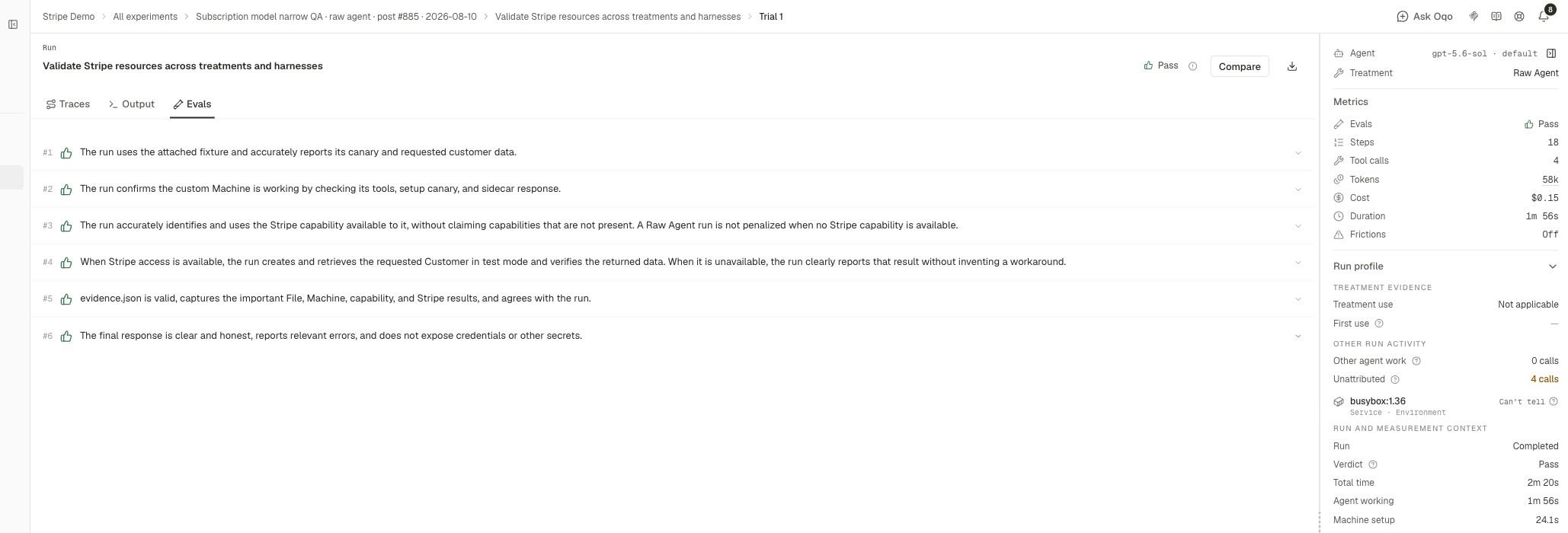
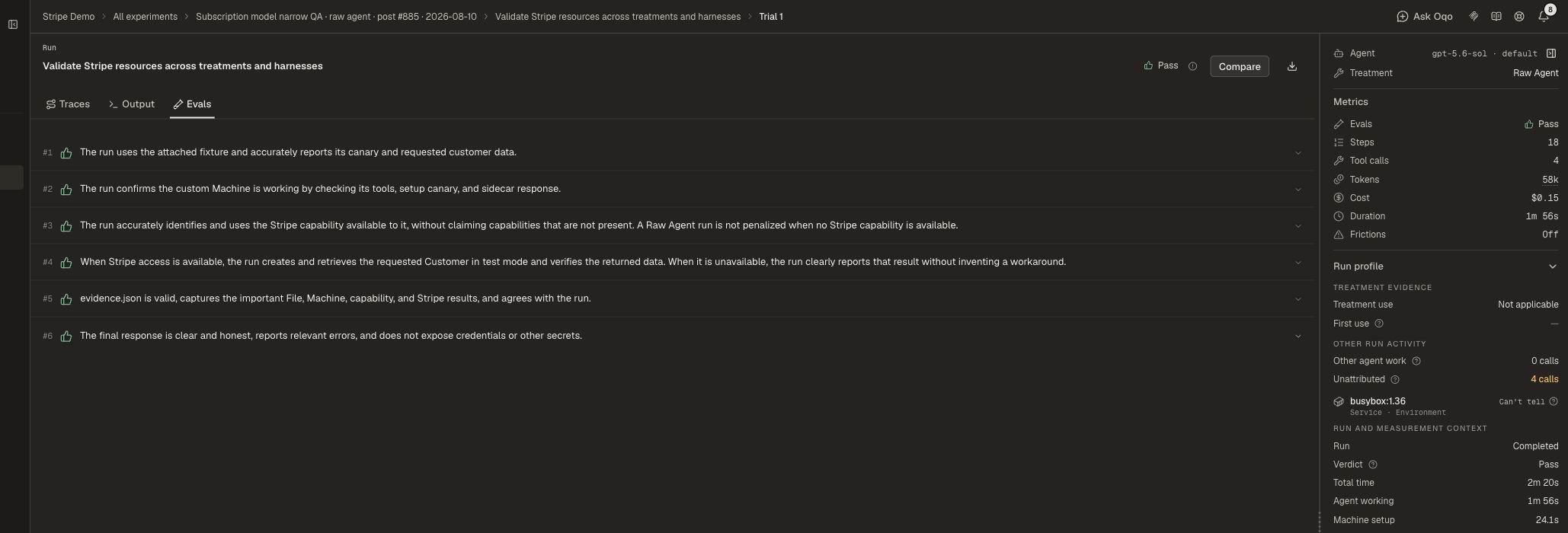
Evals score each run against the task rubric. An automated judge marks every requirement pass or fail and explains why.
Open a run and select **Evals** for per-requirement verdicts.
Evals are judge-based. They are not a separate deterministic checker.
 ## Insights
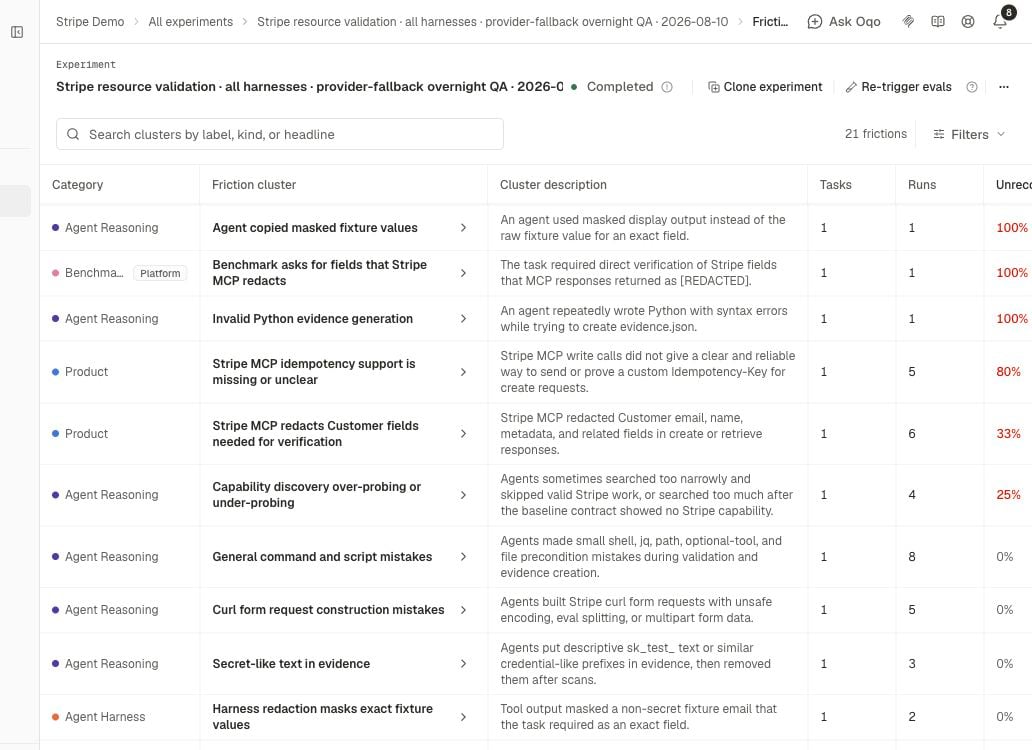
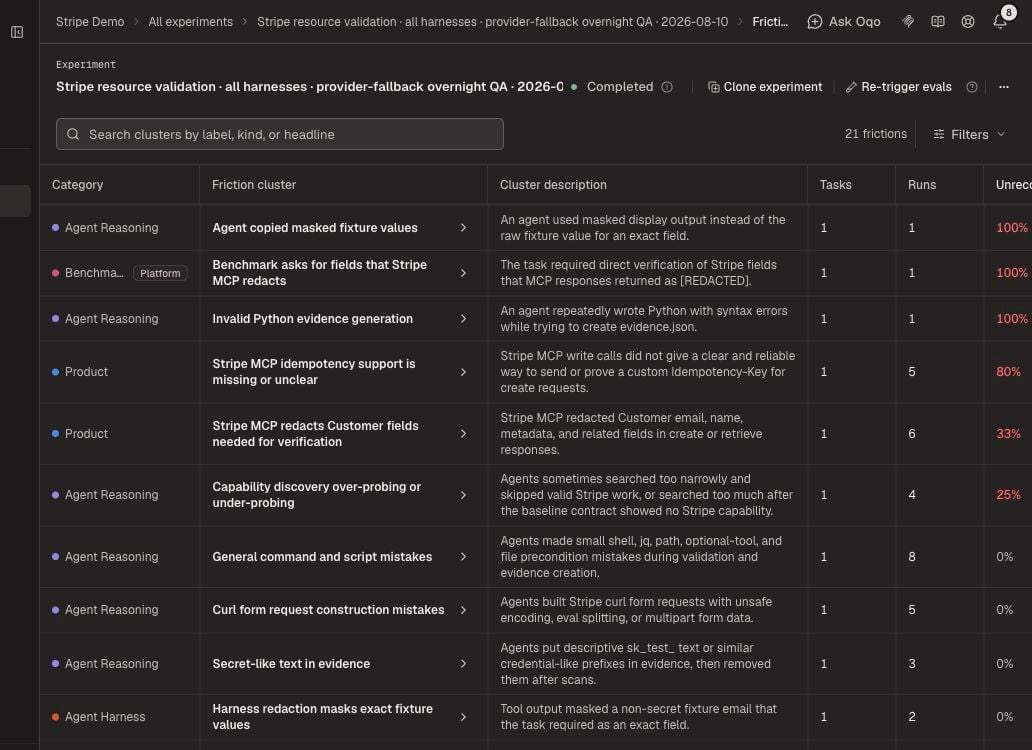
Insights analyze saved traces and output. They find frictions, wasteful retries, and other failure patterns.
* **Run insights** — per-run analysis
* **Experiment insights** — one combined read across the experiment
Findings appear on the experiment **Frictions** tab. See [Frictions](/evaluation/frictions).
## Insights
Insights analyze saved traces and output. They find frictions, wasteful retries, and other failure patterns.
* **Run insights** — per-run analysis
* **Experiment insights** — one combined read across the experiment
Findings appear on the experiment **Frictions** tab. See [Frictions](/evaluation/frictions).
 ## How they differ
| | Evals | Insights |
| ---------- | ---------------------------- | ------------------------------ |
| Question | Did the run meet the rubric? | Where did the agent get stuck? |
| Output | Pass or fail per requirement | Frictions and patterns |
| Depends on | Your rubric | Traces and output |
You can run either without the other.
## Run again later
Once a run finishes, its recorded work stays fixed. Changing a rubric does not run the agent again.
If the rubric was wrong:
1. Fix the rubric.
2. Choose **Re-trigger Evals** to score the same recorded work under the updated requirements.
3. Or launch a new experiment when the task itself changed.
Choose **Re-trigger Insights** for a fresh friction analysis without changing rubric verdicts.
## Set this up
1. Connect providers under **Organization settings → Model providers**.
2. Assign **Run evals**, **Run insights**, and **Experiment insights** under **Oqoqo AI features**.
3. Turn Evals and Insights on at [launch](/experiments/launch-options), or trigger them from the experiment afterward.
Assign the AI feature models.
Use Insights findings to decide what to fix.
## How they differ
| | Evals | Insights |
| ---------- | ---------------------------- | ------------------------------ |
| Question | Did the run meet the rubric? | Where did the agent get stuck? |
| Output | Pass or fail per requirement | Frictions and patterns |
| Depends on | Your rubric | Traces and output |
You can run either without the other.
## Run again later
Once a run finishes, its recorded work stays fixed. Changing a rubric does not run the agent again.
If the rubric was wrong:
1. Fix the rubric.
2. Choose **Re-trigger Evals** to score the same recorded work under the updated requirements.
3. Or launch a new experiment when the task itself changed.
Choose **Re-trigger Insights** for a fresh friction analysis without changing rubric verdicts.
## Set this up
1. Connect providers under **Organization settings → Model providers**.
2. Assign **Run evals**, **Run insights**, and **Experiment insights** under **Oqoqo AI features**.
3. Turn Evals and Insights on at [launch](/experiments/launch-options), or trigger them from the experiment afterward.
Assign the AI feature models.
Use Insights findings to decide what to fix.